
Everything the day needs. Nothing it doesn’t.
One platform for the classroom floor, the front office, and the family — shown below with real screens and simulated data.
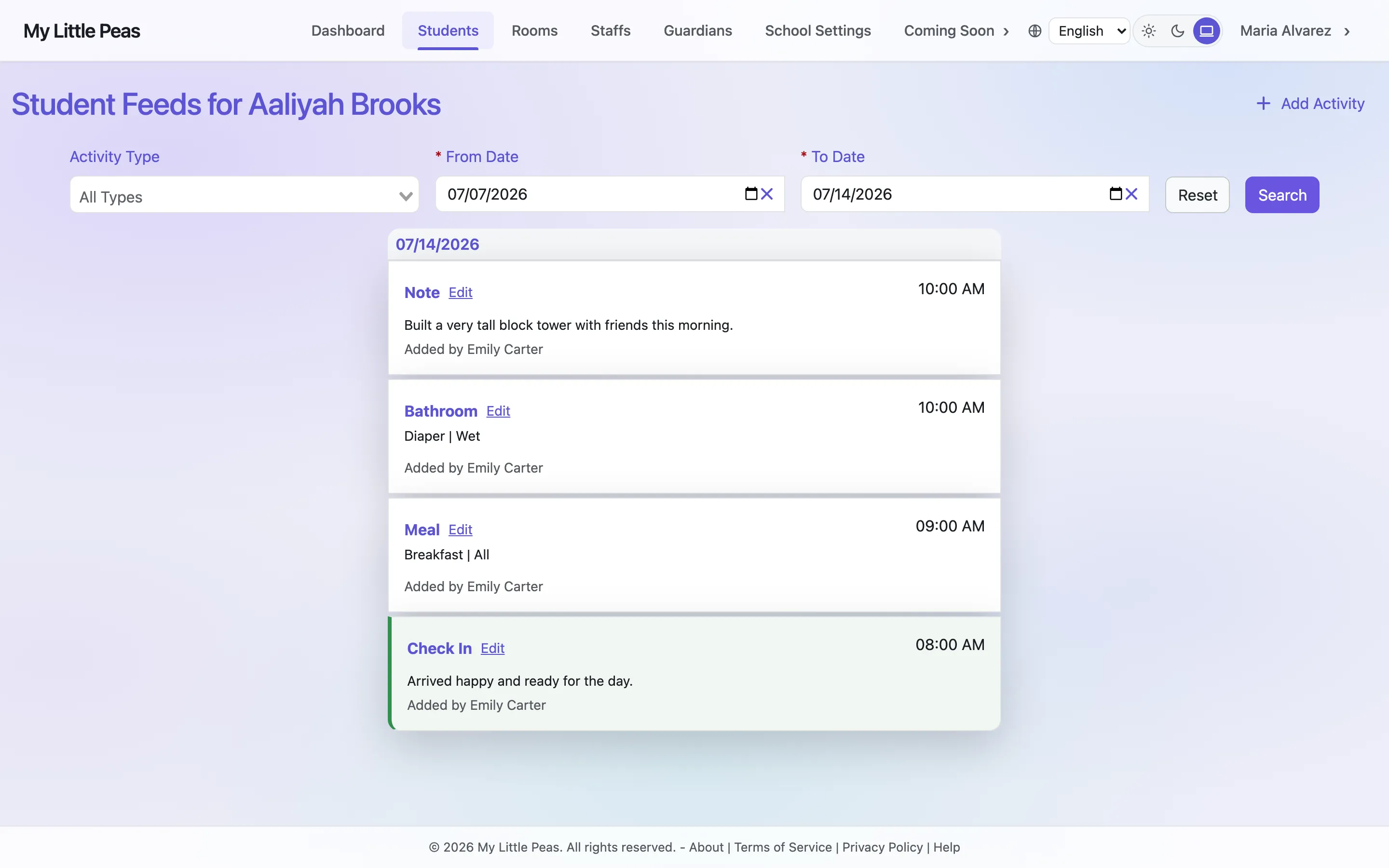
Log the day without leaving it
Meals, bottles, naps, diapering, medications, incidents, photos, notes — each entry takes seconds from a phone or tablet and lands on the child’s feed, time-stamped.
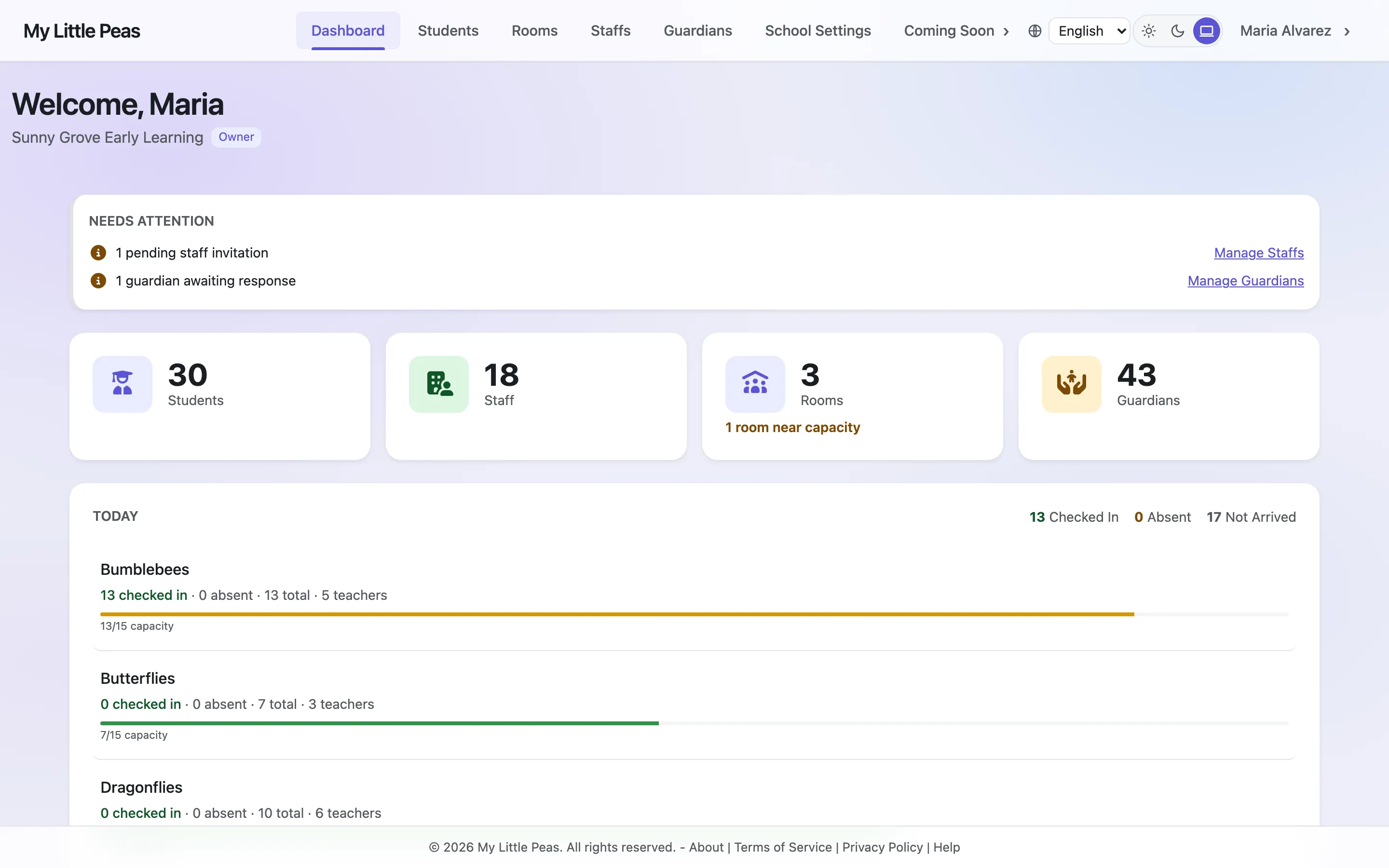
The whole center at a glance
Live check-ins, room capacity, pending invitations, and what needs attention — on one dashboard. The roster shows enrollment stage (prospect, waitlist, enrolled, graduated) and today’s attendance for every child.
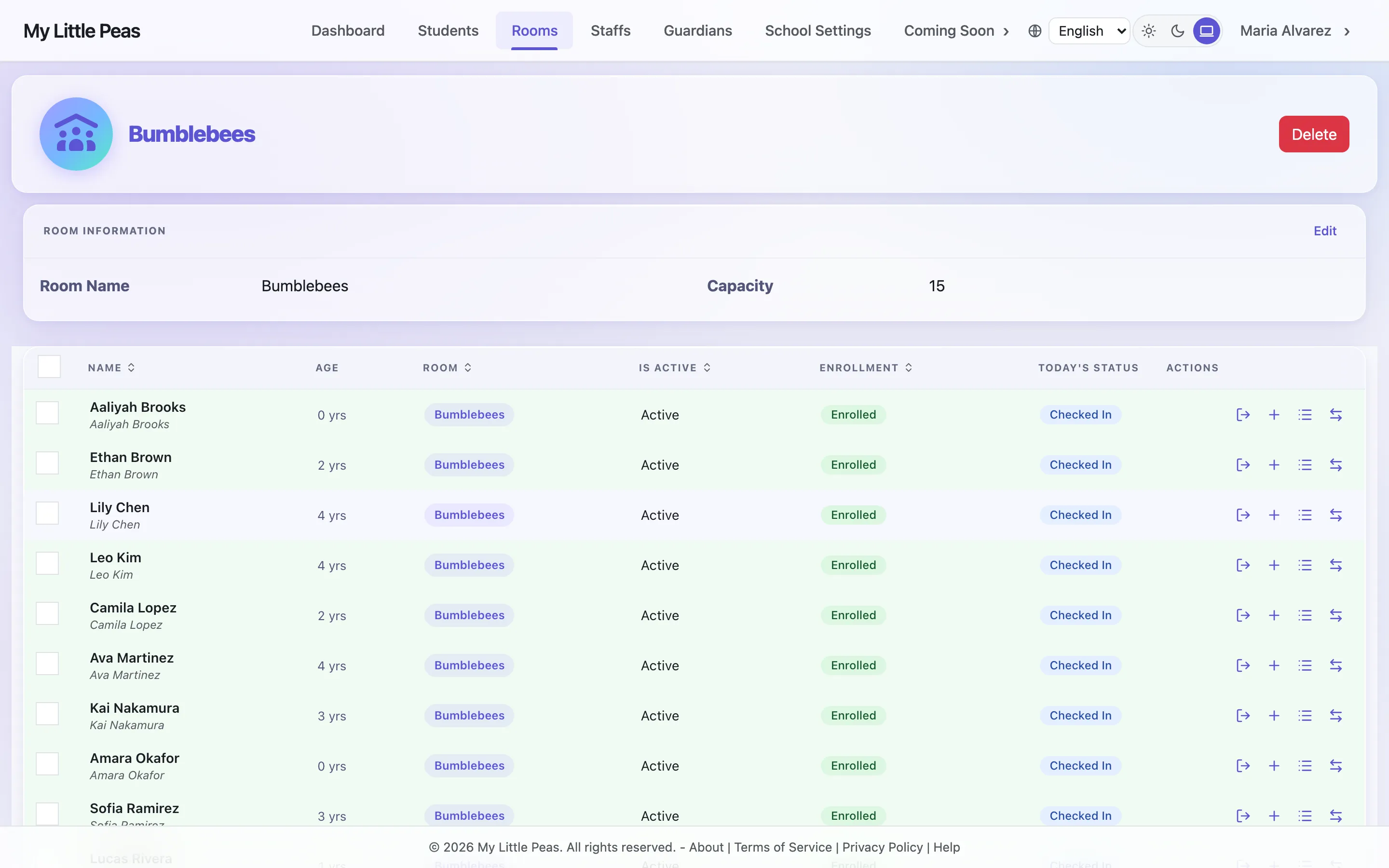
Rooms, rosters, and roles
Each room has a set capacity with live student and staff counts. Invite staff by email and control exactly what each role can see and do.
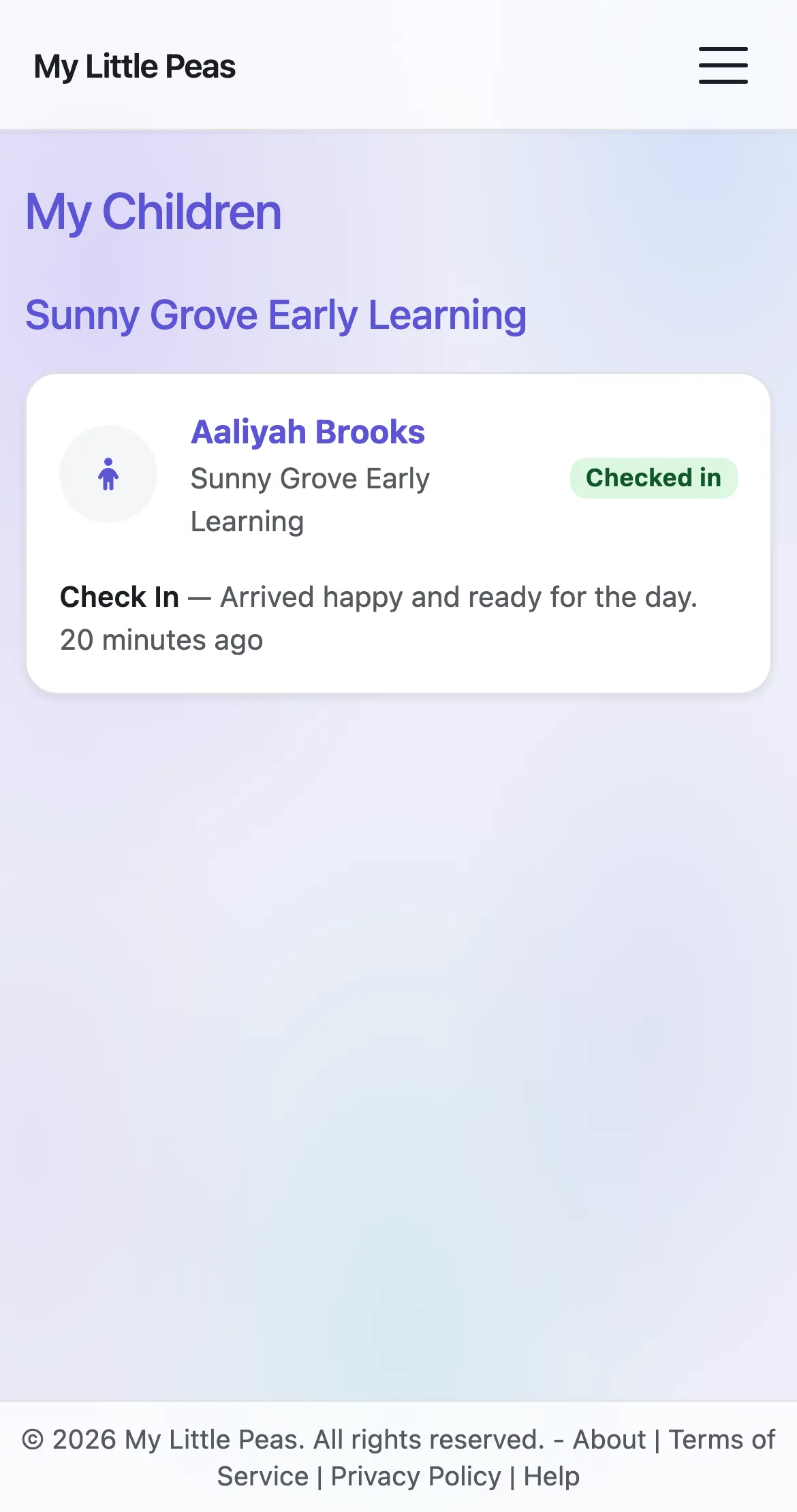
Parents see the day as it happens
Their own portal, on their own phone: check-in status, the latest activities, photo sharing, reactions, and an optional daily digest by email. Included in every paid plan — never a separate app.
From first inquiry to graduation
Track families from prospect and waitlist through enrollment and graduation with one record per child. Your subscription is billed simply through Stripe — upgrade, downgrade, or cancel from the billing portal.
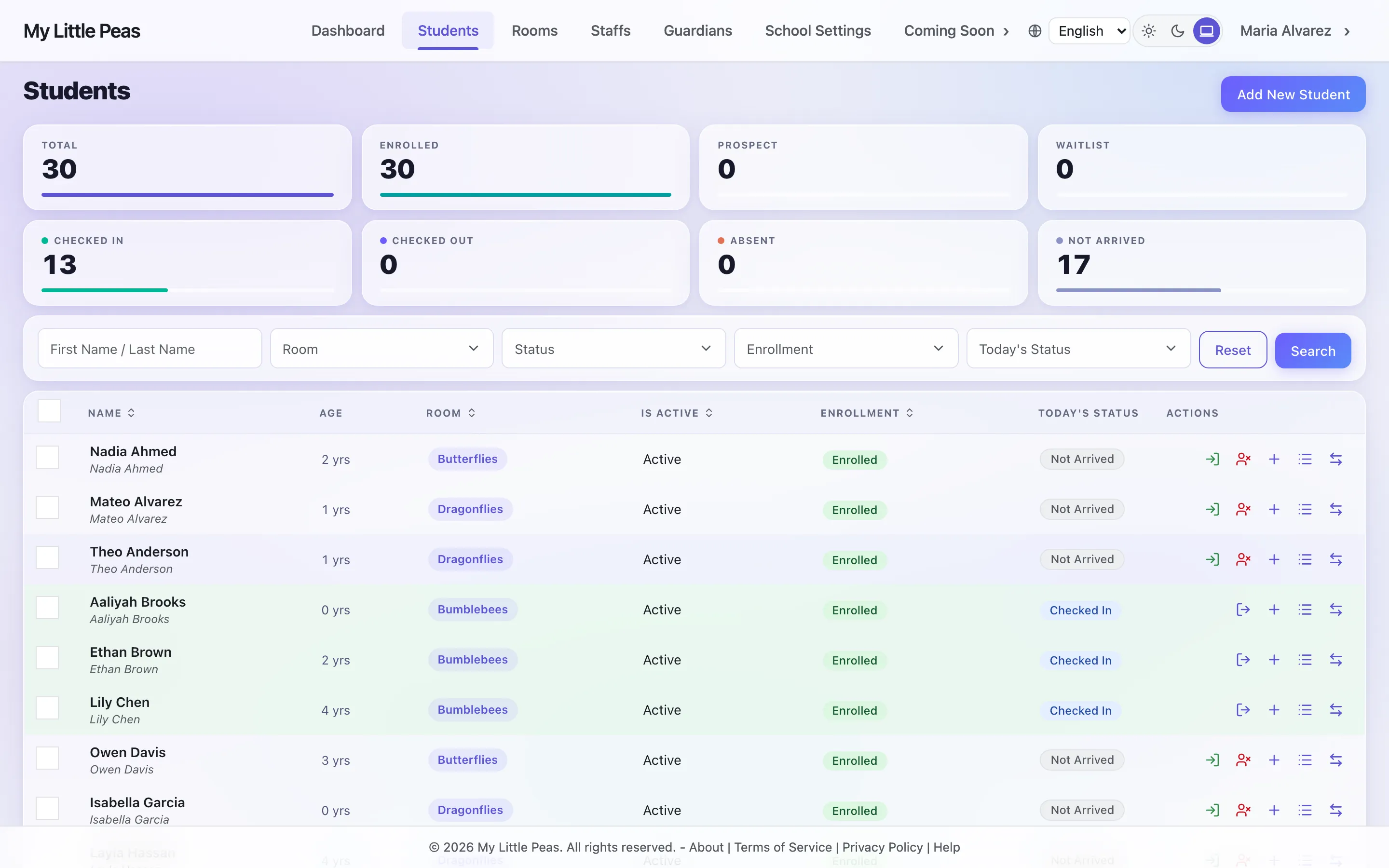
Real screens, simulated data — every name, family, and record shown is fictional.
Built around children’s data from day one
- Encrypted in transit & at rest
- Data stored in the US
- Role-based access
- Deletion on your request
We claim only what we’ve built — no borrowed badges. Read exactly how we protect your data →
Common questions
Is parent communication included, or is it a separate paid app?
It’s included in every paid plan. The activity feed, photo sharing, family reactions, and an optional daily digest are part of the core product — never a separate paid “parent app” or add-on line item.
Does My Little Peas work on phones and tablets?
Yes — the whole platform is built for the browser on any device, so teachers log from the floor and parents check the day from their phone. Nothing to install.
Does My Little Peas make my program licensed or compliant?
No. My Little Peas is software only. It does not, on its own, satisfy state licensing, ratio, background-check, mandatory-reporting, or record-keeping requirements. Its tools support your team’s judgment and recordkeeping; providers remain solely responsible for regulatory compliance. This information is not legal advice.
How do I get started?
Create your account, set up your school, and invite your team — it takes minutes, and you can explore everything yourself. Free to start, no credit card, and no sales call required.
See it with your own school
Free to start, no credit card, no sales call — and published pricing when you’re ready to upgrade.